Bury technologies CC 3100 Guía Rápida
Idiomas disponibles
Idiomas disponibles
Enlaces rápidos

Manuales relacionados para Bury technologies CC 3100


Resumen de contenidos para Bury technologies CC 3100
- Página 1 CC 3100 QUICK USER GUIDE GUÍA RÁPIDA GUIDE DE DÉMARRAGE...
- Página 3 Introductory information Dear customer, Congratulations on purchasing a BURY hands-free car kit. You have chosen a high quality product that is extremely easy to use. Estimado Cliente: Usted ha adquirido un kit de telefonía manos libres de la marca BURY, optando con ello por un producto de alta calidad y máximo confort de manejo.
- Página 4 Installation of the hands-free car kit Scope of supply Alcance de suministro Fourniture...
- Página 5 Scope of delivery: Contenido: 1. Electronic box 1. Caja electrónica 2. Multifunction display with cradle and mount, 2. Pantalla multifuncional con soporte y pie de screws for the holder and rubber cover, montaje, tornillo para el soporte y cubierta adhesive tape de caucho, cinta adhesiva 3.
- Página 7 Connections on the electronics box: Mini-USB Power supply/Muting using Mute via 24-Pin Molex to jack connector cable Microphone LINE-IN Multifunction display Conexiones en la caja electrónica: Mini USB Suministro de corriente/Silenciamiento a través del mazo Molex de 24 pines en arnés de cables jack Micrófono LINE-IN Pantalla multifuncional...
- Página 15 PWR/LSP/LINE OUT Paso 1: La alimentación eléctrica del kit manos libres se establece a través de un cable de 4 hilos. Conecte el negro (bor- ne 31 - negativo), el rojo (borne 30 - positivo permanente) y el azul (borne 15 - positivo de encendido) a la alimen- tación de su radio (a través del encendedor de cigarrillos o la caja de fusibles, según sea el caso).
- Página 16 Installation of the hands-free car kit Paso 4: Si quiere transferir música con el cable LINE (C) este debe adaptarse a la radio correspondiente y a sus conexio- nes (entrada PHONE o entrada AUX). Puede adquirir los adaptadores correspondientes en los comercios espe- cializados.
- Página 19 Operating guidelines Establishing a Bluetooth connection Establecer una conexión Bluetooth Etablir une connexion Bluetooth “CC 3100” PIN: 1234...
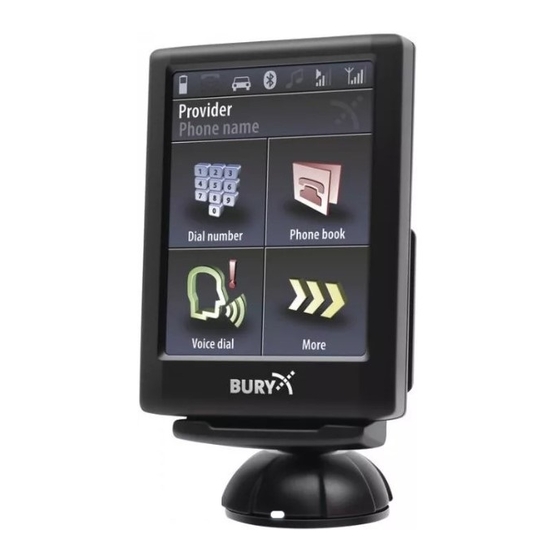
- Página 20 Operating guideline You can enter a telephone number here You can open the telephone book here Aquí puede introducir un número de teléfono Aquí puede abrir la agenda de teléfonos Ce sous-menu vous permet de saisir un numéro Ce sous-menu vous permet d’ouvrir le répertoire de téléphone You can start the voice control here You can flick through more functions here...
- Página 21 Handling via Touch screen The operation can be carried out via possibly existing arrow keys. With the red symbols you can cancel an action or go a step back. If you press long you will return to the main menu. With the green symbols you can confirm actions.
- Página 22 Further Information A detailed instructions manual for the CC 3100 is available on our website under the follow- ing address: www.bury.com Have a good trip! Encontrará un manual de instrucciones más detallado sobre el CC 3100 de BURY en nuestra pági- na web con la dirección: www.bury.com...
- Página 23 Permisos y declaraciones de conformidad Comisión Federal de Comunicaciones (FCC) Declaración de Conformidad – Estados Unidos Este dispositivo cumple con la parte 15 de las reglas FCC. La operación está sujeta a las siguientes dos condiciones: 1 Este dispositivo no puede causar interterencia perjudicial, y 2 el dispositivo debe aceptar cualquier interferencia recibida, incluyendo interferencia que pueda causar operaciones no deseables.
- Página 24 Version 06/2016 60.0911.0-01-070616...