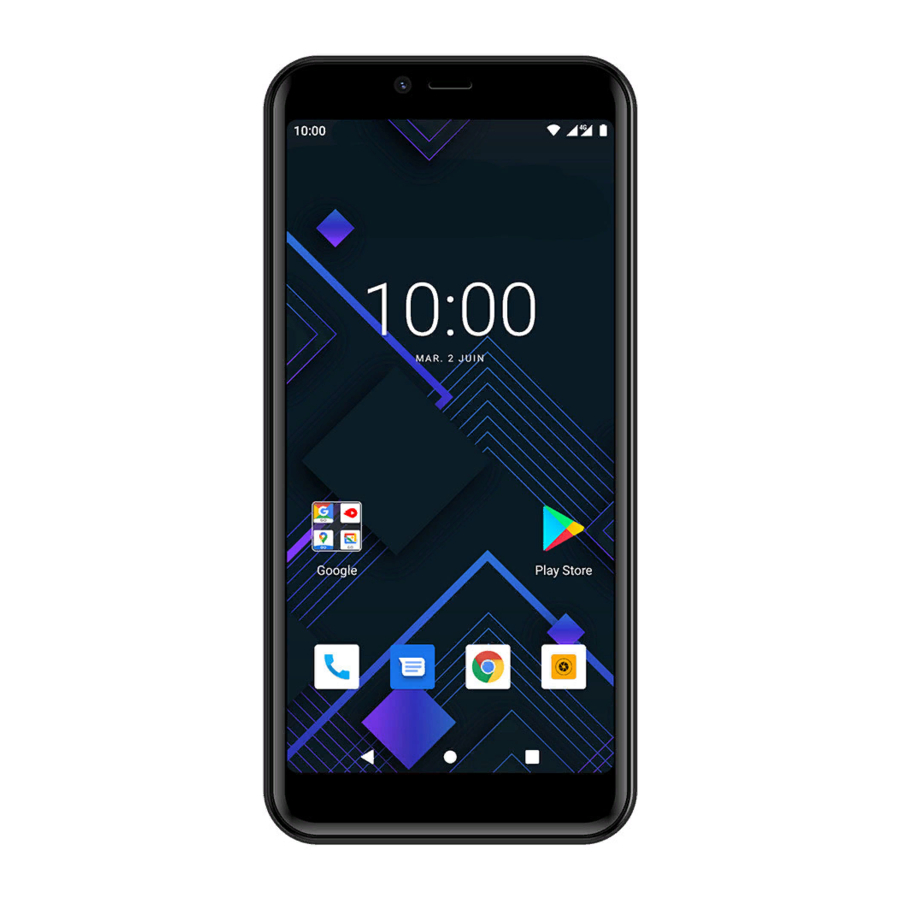
Konrow Sky55 Guía De Usuario
Tabla de contenido
Idiomas disponibles
Idiomas disponibles
Enlaces rápidos
Guide d'utilisation
User guide
Gebruikershandleiding
Benutzerhandbuch
Guía del usuario
Guia de usuario
Guida utente
SAR/DAS :
Head/Tête (XXX) X.XXXW/kg,
Body/Corp (XXX) X.XXXW/kg,
Membre/Member (XXX) X.XXXW/kg
Comes with the Google™ app and Google Chrome™
Google, Android, Google Play, YouTube and other
marks are trademarks of Google LLC.
Tabla de contenido

Manuales relacionados para Konrow Sky55


Resumen de contenidos para Konrow Sky55
- Página 1 Guide d'utilisation User guide Gebruikershandleiding Benutzerhandbuch Guía del usuario Guia de usuario Guida utente SAR/DAS : Head/Tête (XXX) X.XXXW/kg, Body/Corp (XXX) X.XXXW/kg, Membre/Member (XXX) X.XXXW/kg Comes with the Google™ app and Google Chrome™ Google, Android, Google Play, YouTube and other marks are trademarks of Google LLC.
- Página 5 1. Bouton Marche/Arrêt 5. Appareils photo arrière & Flash 2. Volume 6. Haut-parleurs 3. Appareil photo avant 4. Prise USB & prise Jack 1. ON/OFF button 5. Rear cameras & flash 2. Volume 6. Speakers 3. Front camera 4. USB port and Jack plug 1.
-
Página 7: Konrow Obrigado
Konrow bedankt om ervoor gekozen het SKY55 smartphone. U vindt in deze gids alle informatie met betrekking tot het gebruik van de smartphone. Waarschuwing: alle verpakkingsmaterialen, zoals tape, de kunststof platen(bladeren), moeten de schroefdraad en de etiketten zijn geen onderdeel van dit product. -
Página 28: Insertar La Tarjeta Sim
Español 1. Insertar la tarjeta SIM • Apague el teléfono y retire la cubierta posterior. Inserte la tarjeta SIM correctamente en el espacio provisto para este propósito. Tienes 2 puertos de tarjeta SIM (SIM1 y SIM2). Asegúrese de respetar la dirección de inserción de las tarjetas. •... -
Página 29: Encender / Apagar Su Teléfono
5. Bloqueo/Desbloque de tarjeta SIM Su SKY55 es un teléfono inteligente de doble SIM. Permite tener dos líneas telefónicas en al mismo dispositivo. Tiene dos ranuras para tarjeta SIM. • Al inicializar su teléfono, lo invitara a introducir el código PIN de sus dos tarjetas SIM sucesivamente. -
Página 30: Bluetooth/Activacion Del Wi-Fi
9. Descargar una aplicacion El smartphone SKY55 se suministra con Google Play, lo que le permite descargar miles de aplicaciones, como música, películas, televisión, libros, revistas y juegos. Para acceder a Google Play, vaya a la página de la aplicación con el botón que se encuentra en la página de inicio y toque el icono de Play Store. - Página 31 Para hacer un reinicio de los datos: • En Configuración, haga clic en "Restablecer opción" y luego "Borrar todos los datos" • Haga clic en "Restablecer teléfono" y confirme, "Borrar todo". El teléfono inteligente se apagará y se reiniciará. El sistema se reiniciará. El dispositivo se reiniciará...
-
Página 36: Mentions Legales / Legal Mentions
MENTIONS LEGALES / LEGAL MENTIONS... - Página 48 www.konrow.com...