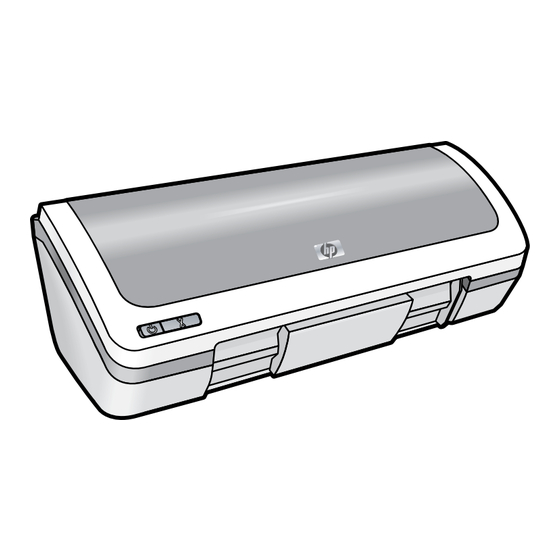
HP 910 Guía De Referencia
Tabla de contenido
Idiomas disponibles
Idiomas disponibles
Enlaces rápidos
HP 910 Printer
Başvuru Kılavuzu
คู ่ ม ื อ อ้ า งอิ ง
참조 설명서
Guía de referencia
Yazıcının kurulumu
hakkında bilgi için
Kurulum Kılavuzu'na
başvurun. Yazıcının
kullanımı hakkında
bilgi için Belgeler
CD'sine bakın.
Daha fazla yardım
mı gerekli?
หากต้ อ งการข้ อ มู ล เพื ่ อ การ
ติ ด ตั ้ ง เครื ่ อ งพิ ม พ์ กรุ ณ าดู ค ู ่
มื อ การติ ด ตั ้ ง สำหรั บ ข้ อ มู ล
เกี ่ ย วกั บ การใช้ เ ครื ่ อ งพิ ม พ์
กรุ ณ าดู ซ ี ด ี เ อกสารประกอบ
ต้ อ งการความช่ ว ยเหลื อ
เพิ ่ ม เติ ม ?
Setup Guide
Setup Guide
Setup Guide
Setup Guide
HP 910 Printer
1
Remove packing material.
2
Plug in power supply.
3
Remove packing material.
Plug in power supply.
Remove packing material.
P lu g in p ower supply.
Plug in power supply.
Remove packing material.
Plug in power supply.
You must use the supplied power cord.
You must use the supplied power cord.
You must use the supplied power cord.
You must use the supplied power cord.
4
Load white paper. Slide paper guide firmly against paper.
Load white paper. Slide paper guide firmly against paper.
Load white paper. Slide paper guide firmly against paper.
Load white paper. Slide paper guide firmly against paper.
5
1
Pull pink tab to remove clear tape from print cartridges.
2
Insert print cartridges. Push cartridges
Pull pink tab to remove clear tape from print cartridges.
forward until they 'click' into place.
Pull pink tab to remove clear tape from print cartridges.
Pull pink tab to remove clear tape from print cartridges.
Insert print cartridges. Push cartridges
forward until they 'click' into place.
Insert print cartridges. Push cartridges
forward until they 'click' into place.
Insert print cartridges. Push cartridges
forward until they 'click' into place.
Do not touch copper strip.
Do not touch copper strip.
Do not touch copper strip.
Insert the tri-color print cartridge on the left.
Insert the black print cartridge on the right.
Do not touch copper strip.
Insert the tri-color print cartridge on the left.
Insert the black print cartridge on the right.
Insert the tri-color print cartridge on the left.
Insert the black print cartridge on the right.
Insert the tri-color print cartridge on the left.
Insert the black print cartridge on the right.
6
Close top cover.
7
Connect USB cable.
Close top cover.
Connect USB cable.
USB
Close top cover.
Connect USB cable.
Close top cover.
Connect USB cable.
Windows
Macintosh
Purchase a USB cable
separately if it is not included.
Purchase a USB cable
separately if it is not included.
Purchase a USB cable
separately if it is not included.
Purchase a USB cable
separately if it is not included.
See step 8a.
See step 8a.
See step 8b.
See step 8b.
Windows
Macintosh
See step 8a.
See step 8a.
See step 8b.
See step 8b.
www.hp.com/support
프린터 설정에 대한
내용은 설치 설명서를
참조하십시오. 프린터
사용에 대한 정보는
문서 CD를 참조하
십시오.
추가 도움말
Para obtener información
acerca de la instalación
de la impresora, consulte
la guía de instalación.
Para obtener información
acerca del uso de la
impresora, consulte el
CD de documentación.
¿Necesita más ayuda?
Tabla de contenido

Manuales relacionados para HP 910


Resumen de contenidos para HP 910
- Página 2 Bu belge ในที ่ น ี ้ ว ่ า เป็ น การรั บ ประกั น เพิ ่ ม เติ ม HP จะไม่ ร ั บ ผิ ด ชอบหากข้ อ ความ içindeki hiçbir bölüm ek bir garanti oluşturduğu şeklinde ในเอกสารนี...
-
Página 9: Ayuda De Instalación
Ayuda de instalación ¿No tiene alimentación eléctrica? Compruebe lo siguiente: • El cable de alimentación de la impresora está conectado a una toma de corriente eléctrica. • El cable de alimentación está conectado adecuadamente a la fuente de alimentación o a un adaptador. •... -
Página 10: Atasco De Papel
Además, en el cartucho quedan restos de tinta después de utilizarlo. Para obtener más información, consulte www.hp.com/go/inkusage. - Página 11 Güç kaynağı Giriş voltajı Giriş frekansı ตั ว จ่ า ยกระแสไฟฟ้ า แรงดั น ไฟฟ้ า ขาเข้ า ความถี ่ ไ ฟฟ้ า ขาเข้ า HP 910 Printer HP 910 Printer 0957-2231 100 – 240 Vac 50/60 Hz 0957-2231 100 ถึ ง 240 Vac ...
- Página 14 HP 프린터 제한 보증서...
-
Página 15: Declaración De Garantía Limitada De Impresoras Hp
Declaración de garantía limitada de impresoras HP... -
Página 16: Información Normativa
있습니다. 귀하 제품의 규정 모델 번호는 VCVRA-0702 del producto es VCVRA-0702. Este número normativo no deberá 입니다. 이 규정 번호를 마케팅 이름(HP 910 Printer) confundirse con el nombre comercial (HP 910 Printer) o con el 또는 제품 번호(CB614A 등)와 혼동하지 마십시오. número de producto (CB614A, etc.).