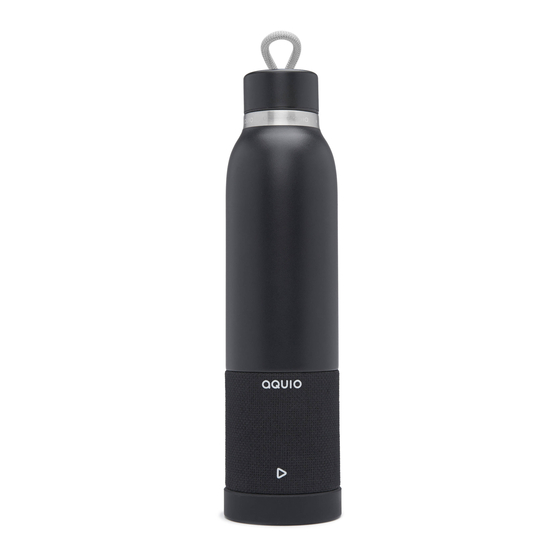
Aquio iBTB2 Guia De Inicio Rapido
Tabla de contenido
Idiomas disponibles
Idiomas disponibles
Enlaces rápidos
DOUBLE WALL INSULATED STAINLESS STEEL BOTTLE
+ REMOVABLE WATERPROOF BLUETOOTH SPEAKER
QUICK START GUIDE
CONTROLS & INDICATORS
FRONT:
Play/Pause
Button
BACK:
Waterproof Cover
Battery LED
Indicator
Power
Button
PAIRING BLUETOOTH
Pairing the First Time
Manual Pairing
3s
•
Make your Bluetooth device "discoverable"
•
Press and hold the Power Button on back of speaker for 3 sec. to
power ON.
•
The first time the unit is powered on it will enter auto-pairing mode.
•
Select "iHome iBTB2" on your device's Bluetooth menu to
complete pairing.
•
To manually pair, power speaker ON. Press and hold Bluetooth
Button for 2 seconds, then select "iHome iBTB2" on your device's
Bluetooth menu to complete pairing.
HOW TO USE BOTTLE & SPEAKER
•
Unscrew cap to fill bottle
•
The Bottle and Speaker can be
unscrewed to use separately
•
Speaker is waterproof
(keep cover closed near water)
•
Screw the speaker base to
bottom of bottle for best
stability when using separately
•
See Bottle Cautions for best experience
iBTB2
usb
reset
Reset Port
USB Charge Port
Bluetooth LED
Indicator
Bluetooth
Button
3s
iHome
iBTB2
2s
iHome
iBTB2
Cap
Bottle
Speaker
Base
GETTING STARTED
Connect included USB cable to USB
CHARGE
Charging Port (under waterproof
SPEAKER
cover) and to USB power source
BEFORE USE
such as USB AC adapter connected
to working outlet
usb
reset
Charge/Battery
Green = charged
Indicator:
Bluetooth
Indicator:
Slow blink
= auto-link
PLAYING BLUETOOTH AUDIO
•
Press Play/Pause Button to play or pause Bluetooth audio.
•
Press 2x to skip to next song
•
Press 3x to skip to previous track
OR start of currrent track
•
Press and hold the Power Button for 3 sec. to power OFF.
SPEAKERPHONE
•
Speaker must be ON and paired to
Bluetooth device to use speakerphone.
•
Press Play/Pause Button to answer/end call
•
Press and hold Play/Pause Button
for 2 seconds to decline call
TIP: on some iOS (Apple) devices; you can view the iBTB2 battery status on
your device's screen. When device is paired and connected; look for a vertical
battery icon next to the Bluetooth icon on the upper right corner of the
device's screen.
Bluetooth is a registered trademarks of Bluetooth SIG Inc.
Bluetooth technology is incorporated under license from Bluetooth SIG Inc.
WATERPROOF OPERATION
•
For proper waterproof operation, make sure
the waterproof cover on the back of the unit is
completely flush with the unit by pressing
along
the
entire
edge
until it is completely and securely in place.
ready
for
water
not
ready for
water
CHARGE
BEFORE
USE
Red = charging
Fast blink
Solid
= pairing
= paired
of
the
cover
Engish
2s
Tabla de contenido

Resumen de contenidos para Aquio iBTB2
-
Página 5: Parte Frontal
La primera vez que se enciende la unidad, entrará en modo de emparejamiento automático. CONSEJO: en algunos dispositivos iOS (Apple) puede ver el estado de la batería del iBTB2 en la pantalla de su dispositivo. Cuando el dispositivo está • Seleccione “iHome iBTB2” en el menú Bluetooth del dispositivo para emparejado y conectado, busque un icono de batería vertical al lado del... - Página 6 INFORMACIÓN IMPORTANTE SOBRE EL FUNCIONAMIENT IMPERMEABLE • La unidad tiene una clasificación de impermeabilidad IP67, lo que significa que es sumergible hasta 30 minutos a una profundidad de 1 metro (3 pies). Esto normalmente aguanta lluvia, nieve y sumergirla en aguas poco profundas. Una mayor duración o más profunda inmersión que exceda los límites de la prueba puede provocar un fallo del producto y anular la garantía.