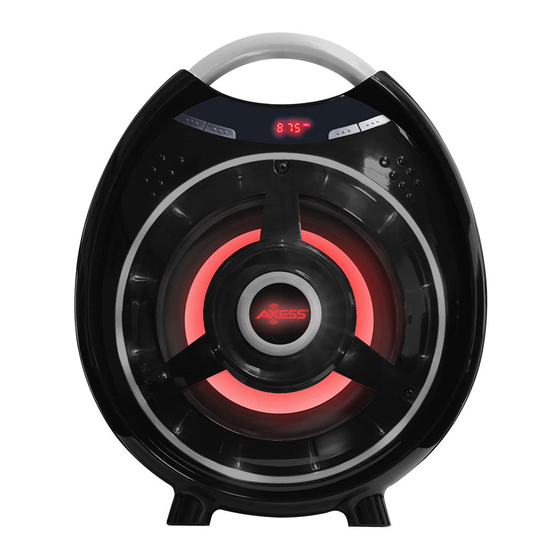
Axess SPBT1051 Manual De Instrucciones
Idiomas disponibles
Idiomas disponibles
Enlaces rápidos
ENGLISH
REMOTE CONTROL
POWER:
click this button to turn on/off the unit
MODE:
Click and hold this button to switch on/off of the flashing LED light.
Click this button to change the playing mode in sequence of USB/TF/FM/AUX
IN/BT, In case of no USB and TF card plugged, default mode will be Bluetooth
while powered on.
MUTE:
Press this button mute on/off the sound under all playing modes.
PAUSE:
Under USB and TF playing mode, click this button to pause audio.
There is no pause function while in FM Radio/AUX IN mode
REPEAT:
Under USB and TF mode, press this button to change the repeat modes.
[Repeat one /random /repeat folder /repeat all.]
MANUAL FOR SPBT1051
EQ:
In BT, USB or TF mode, press this button to change the EQ mode
For correctly operating , please read this manual carefully before using. Any
content revise of the manual won't declare again, and we are no
responsible for consequence caused by fault or oversight of this manual

Manuales relacionados para Axess SPBT1051


Resumen de contenidos para Axess SPBT1051
-
Página 3: Manual Para Spbt1051
No hay una función de pausa mientras esté en modo Radio FM / AUX IN REPETIR: MANUAL PARA SPBT1051 En modo USB y TF, pulse este botón para cambiar los modos de repetición. [Repetir una / aleatoria / repetir carpeta / repetir todas.] En modo BT, USB o TF, presione este botón para cambiar el modo EQ... - Página 4 FUNCIÓN DE LOS BOTONES DEL PANEL FRONTAL FUNCIÓN DEL PANEL TRASERO REPRODUCIR PAUSAR: BAJO +/-: En modo USB, TF o Bluetooth, presione este botón para PAUSE Gire este mando para controlar el bajo Volumen de la unidad Y reanudar audio; MIC +/-: En el modo AUX, presione este botón para silenciar el audio.