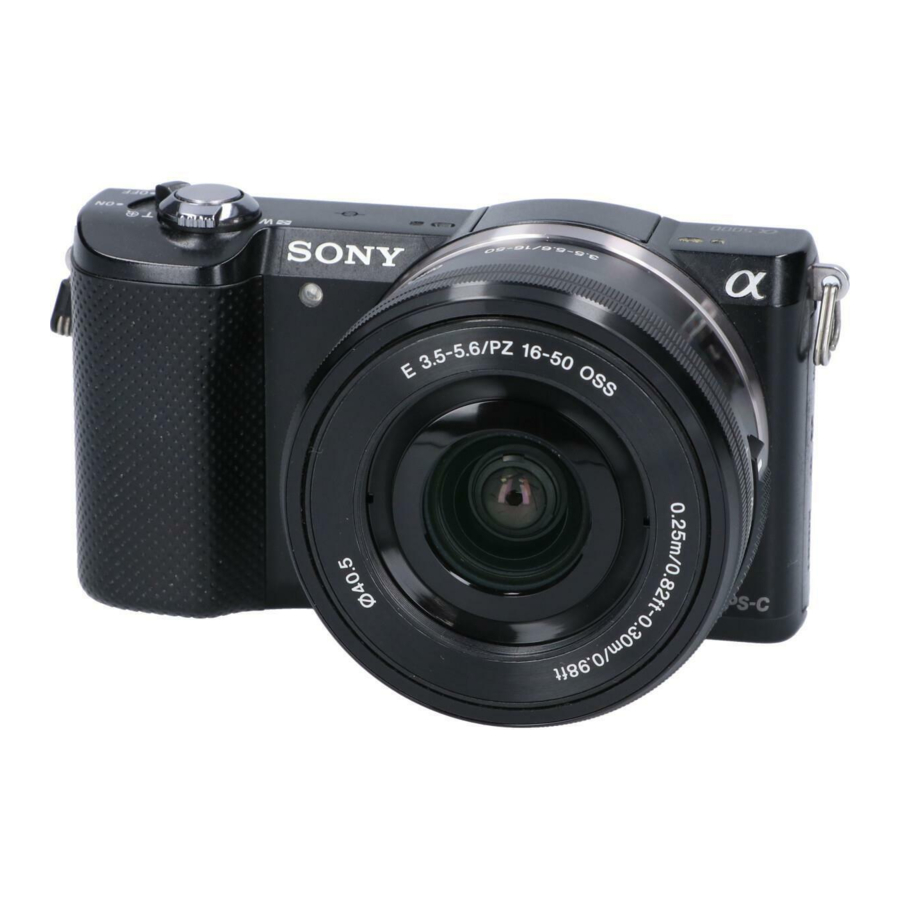
Manual de la Sony ALPHA 5000
- 1 NAVEGACIÓN
- 2 MODO
- 3 AJUSTE DE APERTURA / NÚMERO F
- 4 ISO
- 5 MODO DE ENFOQUE
- 6 ÁREA DE ENFOQUE
- 7 AJUSTE MANUAL DEL PUNTO DE ENFOQUE
- 8 MODO DE DISPARO CONTINUO
- 9 MODO DE AUTODISPARADOR
- 10 MODO DE MEDICIÓN
- 11 COMPENSACIÓN DE LA EXPOSICIÓN
- 12 BALANCE DE BLANCOS
- 13 Descargar el manual
- 14 En otros idiomas
NAVEGACIÓN

DISP - cambiar la visualización de la pantalla
ISO - establecer la sensibilidad según el brillo
 - (Exposure Comp) ajustar la exposición y el brillo
 - (Drive Mode) cambiar entre los métodos de disparo
 - (Shoot Mode) cambiar el modo de disparo
MODO
- pulse el botón MENU (MENÚ)
- seleccione CAMERA SETTINGS (AJUSTES DE LA CÁMARA)
- seleccione SHOOTING MODE (MODO DE DISPARO)
- desplácese por las opciones de modo
- pulse
![]() para realizar la selección
para realizar la selección
AJUSTE DE APERTURA / NÚMERO F
- pulse el botón MENU (MENÚ)
- seleccione CAMERA SETTINGS (AJUSTES DE LA CÁMARA)
- seleccione SHOOTING MODE (MODO DE DISPARO)
- desplácese por las opciones de modo
- seleccione A para el ajuste de apertura
ISO

- pulse el botón MENU (MENÚ)
- seleccione CAMERA SETTINGS (AJUSTES DE LA CÁMARA)
- desplácese por la lista
- seleccione ISO
- desplácese por los ajustes
- pulse
![]() para realizar la selección
para realizar la selección
MODO DE ENFOQUE
- pulse el botón MENU (MENÚ)
- seleccione CAMERA SETTINGS (AJUSTES DE LA CÁMARA)
- desplácese por la lista
- seleccione FOCUS MODE (MODO DE ENFOQUE)
- desplácese por los ajustes
- pulse
![]() para realizar la selección
para realizar la selección
 (Single-shot AF) (Single-shot AF) | Para sujetos estacionarios. |
 (Continuous AF) (Continuous AF) | Para sujetos en movimiento. |
 (DMF) (DMF) | La cámara selecciona automáticamente para sujetos estacionarios o en movimiento |
ÁREA DE ENFOQUE
- pulse el botón MENU (MENÚ)
- seleccione CAMERA SETTINGS (AJUSTES DE LA CÁMARA)
- desplácese por la lista
- seleccione FOCUS AREA (ÁREA DE ENFOQUE)
- desplácese por los ajustes
- pulse
![]() para realizar la selección
para realizar la selección
 WIDE WIDE | se enfoca automáticamente en un sujeto |
 ZONE ZONE | seleccione una zona en el monitor en la que enfocar |
 CENTER CENTER | se enfoca automáticamente en un sujeto en el centro de la imagen |
 FLEXIBLE SPOT FLEXIBLE SPOT | puede seleccionar un punto deseado en la pantalla |
AJUSTE MANUAL DEL PUNTO DE ENFOQUE

Gire el anillo de enfoque para un enfoque nítido.
- pulse el botón MENU (MENÚ)
- seleccione CAMERA SETTINGS (AJUSTES DE LA CÁMARA)
- desplácese por la lista
- seleccione FOCUS MODE (MODO DE ENFOQUE)
- seleccione MANUAL FOCUS (ENFOQUE MANUAL)
- desplácese por los ajustes
- pulse
![]() para realizar la selección
para realizar la selección
MODO DE DISPARO CONTINUO
- pulse el botón MENU (MENÚ)
- seleccione CAMERA SETTINGS (AJUSTES DE LA CÁMARA)
- desplácese por la lista
- seleccione DRIVE MODE (MODO DE AVANCE)
- desplácese por los ajustes
- pulse
![]() para realizar la selección
para realizar la selección
 Single Shooting Single Shooting | toma una imagen fija |
 Cont. Shooting Cont. Shooting | toma imágenes continuamente mientras se mantiene pulsado el obturador. |
 Spd Priority Cont. Spd Priority Cont. | toma imágenes continuamente a alta velocidad mientras se mantiene pulsado el obturador. |
 Self-timer Self-timer | toma una imagen después de 2 o 10 segundos |
 Self-timer (Cont) Self-timer (Cont) | toma imágenes continuamente después de 10 segundos |
MODO DE AUTODISPARADOR
- pulse el botón MENU (MENÚ)
- seleccione CAMERA SETTINGS (AJUSTES DE LA CÁMARA)
- desplácese por la lista
- seleccione DRIVE MODE (MODO DE AVANCE)
- desplácese por los ajustes
- seleccione SELF-TIMER (AUTODISPARADOR)
- pulse
![]() para realizar la selección
para realizar la selección
 Self-timer: 10 sec (Autodisparador: 10 s)
- cuando se pulsa el botón del obturador, la lámpara del autodisparador parpadea y emite un pitido hasta que funciona el obturador. Para cancelar el autodisparador, pulse de nuevo el botón del obturador.
 Self-timer: 2 Sec (Autodisparador: 2 s)
- establece el autodisparador con retardo de 2 segundos. Esto reduce la trepidación de la cámara causada al pulsar el botón del obturador.
MODO DE MEDICIÓN
- pulse el botón MENU (MENÚ)
- seleccione CAMERA SETTINGS (AJUSTES DE LA CÁMARA)
- desplácese por la lista
- seleccione METERING MODE (MODO DE MEDICIÓN)
- desplácese por los ajustes
- pulse
![]() para realizar la selección
para realizar la selección
 Multi Multi | Medición multipatrón |
 Center Center | Medición ponderada al centro |
 Spot Spot | Medición puntual |
COMPENSACIÓN DE LA EXPOSICIÓN
- pulse el botón MENU (MENÚ)
- seleccione CAMERA SETTINGS (AJUSTES DE LA CÁMARA)
- desplácese por la lista
- seleccione EXPOSURE COMP. (COMP. DE EXPOSICIÓN)
- desplácese por los ajustes
- pulse
![]() para realizar la selección
para realizar la selección
BALANCE DE BLANCOS
- pulse el botón MENU (MENÚ)
- seleccione CAMERA SETTINGS (AJUSTES DE LA CÁMARA)
- desplácese por la lista
- seleccione WHITE BALANCE (BALANCE DE BLANCOS)
- desplácese por los ajustes
- pulse
![]() para realizar la selección
para realizar la selección
Descargar el manual
Aquí puede descargar la versión PDF completa del manual. Puede contener instrucciones de seguridad adicionales, información de garantía, reglas de la FCC, etc.
Descargar Manual de la Sony ALPHA 5000


