Manual de Sena RC4
- 1 Introducción
- 2 Empezando
- 3 Instalación
- 4 Reemplazo de la batería
- 5 Funcionamiento de los botones
- 6 Encendido/Apagado
- 7 Comprobación de la batería
- 8 Emparejamiento Bluetooth
- 9 Restablecimiento de fábrica
- 10 Control de los auriculares
- 11 Funcionamiento del control remoto RC4 para auriculares
- 12 Funcionamiento del botón multifunción RC4 para auriculares
- 13 Descargar el manual
- 14 En otros idiomas
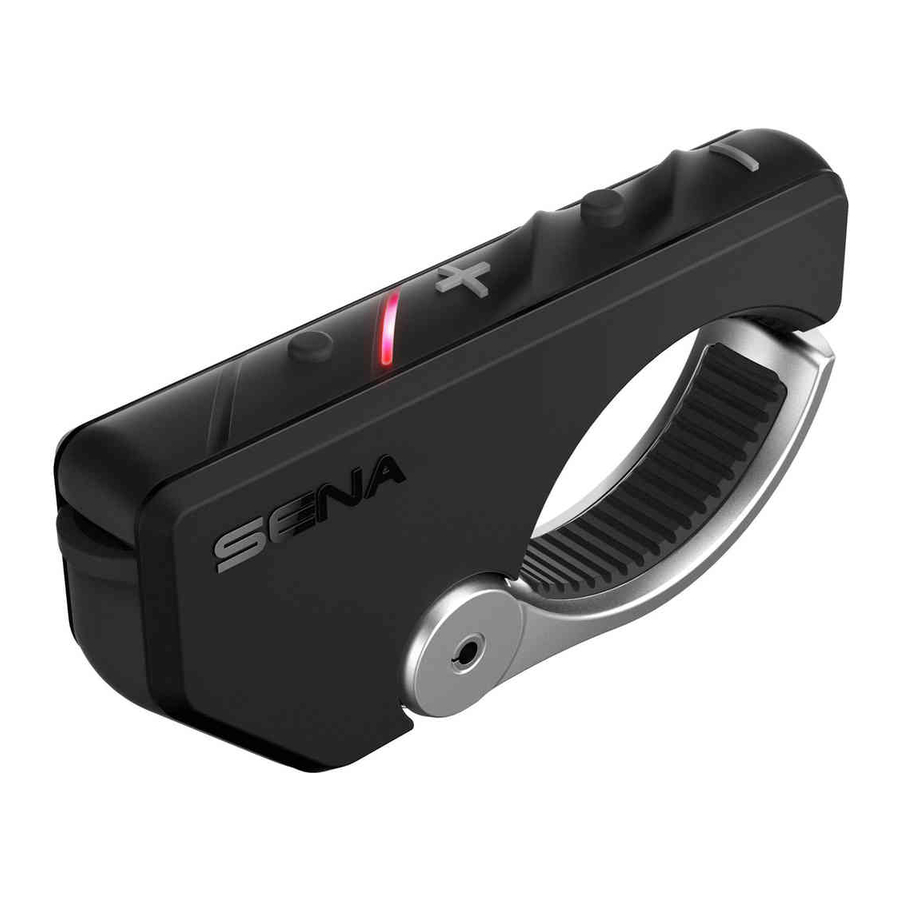
Introducción

Empezando

Retire la cinta plástica de la ranura de la batería para comenzar a usar el RC4.
Instalación

NOTA:
Si su manillar requiere un mejor agarre para mantener el RC4 en su lugar, aplique la banda de goma alrededor del manillar.
Reemplazo de la batería


Funcionamiento de los botones
 |
Tapping (Toque) |
 |
Double Tapping (Doble toque) |
 |
Press for 1 sec (Presionar por 1 segundo) |
Encendido/Apagado
Power On (Encender)

Deep Sleep (Sueño profundo)

Comprobación de la batería


Emparejamiento Bluetooth


NOTA:
- You can control the headset using the RC4 only (Solo puede controlar los auriculares usando el RC4) after you pair them together.
- The RC4 supports Sena headsets with Bluetooth (El RC4 es compatible con los auriculares Sena con Bluetooth) 4.1 or higher.
Restablecimiento de fábrica

Control de los auriculares
Para controlar sus auriculares usando el RC4, consulte la Guía de referencia rápida para conocer el funcionamiento de los botones en funciones como teléfono, música e intercomunicador.
NOTA:
El botón multifunción controla de forma remota los botones especiales, como el botón de modo ambiente del 20S y el botón de cámara del 10C. Consulte la Guía de referencia rápida para obtener más detalles.
Funcionamiento del control remoto RC4 para auriculares
| Type (Tipo) | Operation (Operación) | Button Command (Comando de botón) |
| Basic Operation (Operación básica) |
Volume adjustment (Ajuste de volumen) | Tap the (+) Button or the (-) Button (Toque el botón (+) o el botón (-)) |
| Configuration menu (Menú de configuración) | Press the Center Button for 10 seconds (Presione el botón central durante 10 segundos) | |
Mobile Phone (Teléfono móvil) |
Answer phone call (Responder llamada telefónica) | Tap the Center Button (Toque el botón central) |
| End phone call (Finalizar llamada telefónica) | Press the Center Button for 2 seconds (Presione el botón central durante 2 segundos) | |
| Voice dial (Marcación por voz) | Press the Center Button for 3 seconds (Presione el botón central durante 3 segundos) | |
| Speed dial (Marcación rápida) | Press the (+) Button for 3 seconds (Presione el botón (+) durante 3 segundos) | |
| Reject incoming call (Rechazar llamada entrante) | Press the Center Button for 2 seconds (Presione el botón central durante 2 segundos) | |
| Intercom (Intercomunicador) |
Intercom pairing (Emparejamiento del intercomunicador) | Press the Center Button for 5 seconds (Presione el botón central durante 5 segundos) |
| Tap the Center Button of any one of the two Remotes (Toque el botón central de cualquiera de los dos controles remotos) | ||
| Start/end each intercom (Iniciar/finalizar cada intercomunicador) | Tap the Center Button (Toque el botón central) | |
| Start Group Intercom (Iniciar intercomunicador de grupo) | Tap the (+) Button and the (-) Button (Toque el botón (+) y el botón (-)) | |
| End all intercoms (Finalizar todos los intercomunicadores) | Press the Center Button for 1 second (Presione el botón central durante 1 segundo) | |
| Music (Música) | Play/pause Bluetooth music (Reproducir/pausar música Bluetooth) | Press the Center Button for 1 second (Presione el botón central durante 1 segundo) |
| Track forward/ back (Pista adelante/atrás) | Press the (+) Button or the (-) Button for 1 second (Presione el botón (+) o el botón (-) durante 1 segundo) | |
| FM Radio (Radio FM) |
FM radio on/off (Radio FM encendida/apagada) | Press the (-) Button for 1 second (Presione el botón (-) durante 1 segundo) |
| Select preset (Seleccionar preajuste) | Press the Center Button for 1 second (Presione el botón central durante 1 segundo) | |
| Seek stations (Buscar estaciones) | Double tap the (+) Button or the (-) Button (Toque dos veces el botón (+) o el botón (-)) | |
| Scan up FM band (Escanear la banda FM) | Press the (+) Button for 1 second (Presione el botón (+) durante 1 segundo) | |
| Stop scanning (Detener el escaneo) | Press the (+) Button for 1 second (Presione el botón (+) durante 1 segundo) | |
| Save preset while scanning (Guardar preajuste durante el escaneo) | Tap the Center Button (Toque el botón central) |
Funcionamiento del botón multifunción RC4 para auriculares
| Product (Producto) | Operation (Operación) | Button Command (Comando de botón) |
| 20S |
Ambient Mode (Modo Ambiente) | Double tap the Multifunction Button (Toque dos veces el botón multifunción) |
| Voice command (Comando de voz) | Tap the Multifunction Button (Toque el botón multifunción) | |
| Start Group Intercom (Iniciar intercomunicador de grupo) | Press the Multifunction Button for 1 second (Presione el botón multifunción durante 1 segundo) | |
| 10C |
Camera on (Cámara encendida) | Tap the Multifunction Button (Toque el botón multifunción) |
| Camera off (Cámara apagada) | Tap the Multifunction Button and the (-) Button (Toque el botón multifunción y el botón (-)) | |
| Start/stop video recording (Iniciar/detener la grabación de video) | Press the Multifunction Button for 1 second (Presione el botón multifunción durante 1 segundo) | |
| Take photo (Tomar foto) | Tap the Multifunction Button (Toque el botón multifunción) | |
| Enter Video Tagging mode (Entrar en el modo de etiquetado de video) | Press the Multifunction Button for 3 seconds (Presione el botón multifunción durante 3 segundos) | |
| Start Video Tagging (Iniciar el etiquetado de video) | Press the Multifunction Button for 1 second (Presione el botón multifunción durante 1 segundo) | |
| Exit Video Tagging mode (Salir del modo de etiquetado de video) | Press the Multifunction Button for 3 seconds (Presione el botón multifunción durante 3 segundos) | |
| Enter camera configuration menu (Entrar en el menú de configuración de la cámara) | Press the Multifunction Button for 8 seconds (Presione el botón multifunción durante 8 segundos) | |
| Exit camera configuration menu (Salir del menú de configuración de la cámara) | Tap the Multifunction Button (Toque el botón multifunción) | |
| Tufftalk | Ambient Mode (Modo Ambiente) | Double tap the Multifunction Button (Toque dos veces el botón multifunción) |
| Start Group Intercom (Iniciar intercomunicador de grupo) | Press the Multifunction Button for 1 second (Presione el botón multifunción durante 1 segundo) | |
| Others (Otros) | Start Group Intercom (Iniciar intercomunicador de grupo) | Press the Multifunction Button for 1 second (Presione el botón multifunción durante 1 segundo) |
Sena Technologies, Inc.
www.sena.com
Customer Support: support.sena.com
E-mail: support@sena.com


Descargar el manual
Aquí puede descargar la versión PDF completa del manual. Puede contener instrucciones de seguridad adicionales, información de garantía, reglas de la FCC, etc.


