EZVIZ T3C - Manual del Sistema de Seguridad
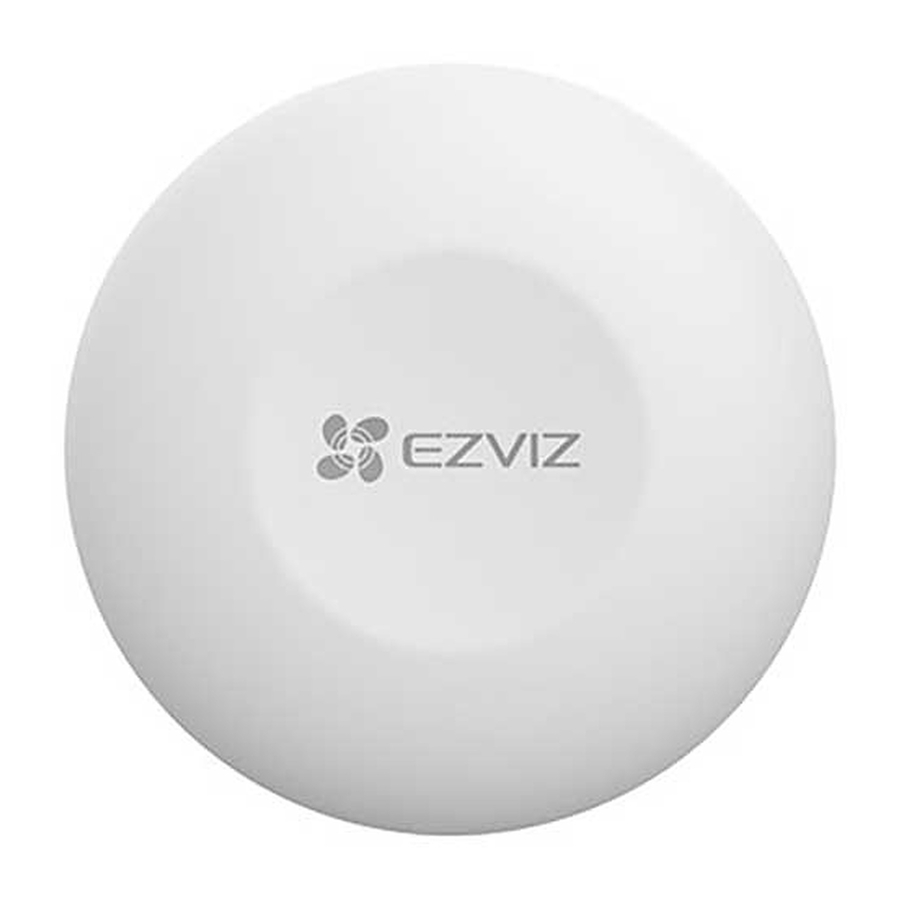
Visión general
Contenido del paquete


- La apariencia del dispositivo está sujeta al que realmente haya comprado.
- El pin solo se suministra para el dispositivo con orificio de reinicio.
Aspectos básicos

| Nombre | Descripción |
| Button (Botón) | Press the button once, twice or press and hold the button, the custom operations or scenes on the app can be performed. (Presione el botón una, dos veces o manténgalo presionado, se pueden realizar las operaciones o escenas personalizadas en la aplicación). |
| RESET Hole (RESETButton) (Orificio de RESET (Botón de RESET)) | Use the pin to press and hold the RESET hole for 2s (If your device has a reset button, please press and hold the RESET button for over 5s), the smart button will restart and then enter device adding mode. (Use el pin para presionar y mantener presionado el orificio de RESET durante 2 segundos (si su dispositivo tiene un botón de reinicio, presione y mantenga presionado el botón de RESET durante más de 5 segundos), el botón inteligente se reiniciará y luego entrará en el modo de agregar dispositivo). |
| LED Indicator (Indicador LED) |
|
Obtén la aplicación EZVIZ
- Connect your mobile phone to Wi-Fi (suggested). (Conecta tu teléfono móvil a Wi-Fi (sugerido)).
- Download and install the EZVIZ app by searching for "EZVIZ" in the App Store or Google PlayTM. (Descarga e instala la aplicación EZVIZ buscando "EZVIZ" en la App Store o Google PlayTM).
- Launch the app and register an EZVIZ user account. (Inicia la aplicación y registra una cuenta de usuario de EZVIZ).
 | |
| EZVIZ App (Aplicación EZVIZ) | |
 |  |
If you have already used the app, please make sure that it is the latest version. To find out if an update is available, go to the app store and search for "EZVIZ". (Si ya ha utilizado la aplicación, asegúrese de que sea la última versión. Para saber si hay una actualización disponible, vaya a la tienda de aplicaciones y busque "EZVIZ").
Preparativos
Retirar la cubierta
Remove the cover of the smart button by turning the antiskid ring counterclockwise as shown in the figure below. (Retire la cubierta del botón inteligente girando el anillo antideslizante en sentido contrario a las agujas del reloj como se muestra en la siguiente figura).

Retirar la tira de aislamiento
Remove the battery insulation strip as shown in the figure below. (Retire la tira de aislamiento de la batería como se muestra en la siguiente figura).

- If you need to replace the battery, please purchase one CR2032 210mAh. (Si necesita reemplazar la batería, compre una CR2032 de 210 mAh).
- When replacing batteries, please insert with the positive side facing up. (Al reemplazar las baterías, insértelas con el lado positivo hacia arriba).
- Keep your hands dry and clean when touching the circuit board. (Mantenga las manos secas y limpias al tocar la placa de circuito).
Agregar dispositivo
The smart button should be used along with EZVIZ Zigbee Smart Gateway (afterhereinafter referred to as "gateway"). Please add gateway to the EZVIZ Cloud by referring to the gateway user manual, and then add the smart button to the gateway. (El botón inteligente debe usarse junto con la puerta de enlace inteligente EZVIZ Zigbee (en adelante, denominada "puerta de enlace"). Agregue la puerta de enlace a la nube EZVIZ consultando el manual del usuario de la puerta de enlace y luego agregue el botón inteligente a la puerta de enlace).
Agregar escaneando el código QR
- Log in to your account through EZVIZ app, tap the device adding icon and then the QR code scanning interface will be displayed. (Inicie sesión en su cuenta a través de la aplicación EZVIZ, toque el icono de agregar dispositivo y luego se mostrará la interfaz de escaneo de código QR).
- Scan the QR code on the user manual, and then add the smart button to the gateway. (Escanee el código QR en el manual del usuario y luego agregue el botón inteligente a la puerta de enlace).
![]()
- Add the smart button to the gateway by following the wizard on the app. (Agregue el botón inteligente a la puerta de enlace siguiendo el asistente en la aplicación).
- Align the cover detaching convex with the cover detaching groove as shown in the figure below. Rotate the cover clockwise to tighten cover. (Alinee el convexo de separación de la cubierta con la ranura de separación de la cubierta como se muestra en la siguiente figura. Gire la cubierta en el sentido de las agujas del reloj para apretar la cubierta).
![]()


Agregar por la puerta de enlace
When adding smart button by the gateway, place the smart button as close to the gateway as possible. (Al agregar el botón inteligente por la puerta de enlace, coloque el botón inteligente lo más cerca posible de la puerta de enlace).
- Make the gateway enter device adding mode as instructed by the user manual of the gateway (Haga que la puerta de enlace entre en el modo de agregar dispositivo según las instrucciones del manual del usuario de la puerta de enlace)
- Use the pin to press and hold the RESET hole for 2s (If your smart button has a reset button instead of the reset hole, please press and hold the reset button for 5s) until the indicator on the smart button turns fast-flashing blue, and the smart button enters adding mode. (Use el pin para presionar y mantener presionado el orificio de RESET durante 2 segundos (si su botón inteligente tiene un botón de reinicio en lugar del orificio de reinicio, presione y mantenga presionado el botón de reinicio durante 5 segundos) hasta que el indicador en el botón inteligente se ponga azul parpadeando rápidamente, y el botón inteligente entra en el modo de agregar).
- The smart button will be added to the gateway automatically. (El botón inteligente se agregará automáticamente a la puerta de enlace).
- Align the cover detaching convex with the cover detaching groove as shown in the figure below. Rotate the cover clockwise to tighten the cover. (Alinee el convexo de separación de la cubierta con la ranura de separación de la cubierta como se muestra en la siguiente figura. Gire la cubierta en el sentido de las agujas del reloj para apretar la cubierta).
Instalación
- The smart button can be put on the table, or be sticked on where you want through the double-sided tape on the cover of the smart button. (El botón inteligente se puede colocar sobre la mesa o pegarse donde desee con la cinta de doble cara en la cubierta del botón inteligente).
- When choose wall mount, please mount the device on the wall below 1.5 meters. (Cuando elija el montaje en la pared, monte el dispositivo en la pared por debajo de 1,5 metros).
- Put on the table (Poner sobre la mesa)

- Stick at Where You Want (Pegar donde quieras)


- Do not install the smart button on metal doors because metal will cause signal attenuation. You can install it on walls beside metal doors. (No instale el botón inteligente en puertas de metal porque el metal causará atenuación de la señal. Puede instalarlo en paredes al lado de las puertas de metal).
- It is recommended that the distance between the smart button and gateway be less than 20m. If there are walls between them, the number of walls should be no more than 2. (Se recomienda que la distancia entre el botón inteligente y la puerta de enlace sea inferior a 20 m. Si hay paredes entre ellos, el número de paredes no debe ser superior a 2).
- Before sticking the smart button, clean the dust on the surface first. Do not stick the smart button on limewashed walls. (Antes de pegar el botón inteligente, limpie primero el polvo de la superficie. No pegue el botón inteligente en paredes encaladas).
INSTALACIÓN Y REEMPLAZO DE LA BATERÍA
Instalar la batería
Tear off the battery insulation, put the battery into the baseplate and insert it to the end. (Retire el aislamiento de la batería, coloque la batería en la placa base e insértela hasta el final).
Reemplazar la batería
Remove the battery from baseplate and replace battery with the Lithium Battery CR2032 purchased by a regular manufacturer. Test the device for correct operation whenever the baterries are replaced after re-fitting the device onto the base plate. If the device is not working properly, please add the device and configurate the network again by following the steps in Setup part or directly contact our technical support. (Retire la batería de la placa base y reemplace la batería con la batería de litio CR2032 comprada por un fabricante habitual. Pruebe el dispositivo para verificar su correcto funcionamiento cada vez que se reemplacen las baterías después de volver a colocar el dispositivo en la placa base. Si el dispositivo no funciona correctamente, agregue el dispositivo y configure la red nuevamente siguiendo los pasos en la parte de Configuración o comuníquese directamente con nuestro soporte técnico).

- Risk of explosion if the battery is replaced by an incorrect type. (Riesgo de explosión si la batería se reemplaza por un tipo incorrecto).
- Improper replacement of the battery with an incorrect type may defeat a safeguard(for example, in the case of some lithium battery types). (El reemplazo incorrecto de la batería con un tipo incorrecto puede anular una protección (por ejemplo, en el caso de algunos tipos de batería de litio)).
- Do not dispose of the battery into fire or a hot oven, or mechanically crush or cut the battery, which may result in an explosion. (No arroje la batería al fuego o a un horno caliente, ni la aplaste o corte mecánicamente, lo que puede provocar una explosión).
- Do not leave the battery in an extremely high temperature surrounding environment or extremely low air pressure, which may result in an explosion or the leakage of flammable liquid or gas. (No deje la batería en un entorno circundante de temperatura extremadamente alta o en una presión de aire extremadamente baja, lo que puede provocar una explosión o la fuga de líquido o gas inflamable).
- Dispose of used batteries according to the instructions. (Deseche las baterías usadas de acuerdo con las instrucciones).
![]() identifies the battery holder itself and identifies the positioning of the cell(s) inside the battery holder. ("+" identifica el soporte de la batería en sí e identifica la posición de la(s) celda(s) dentro del soporte de la batería).
identifies the battery holder itself and identifies the positioning of the cell(s) inside the battery holder. ("+" identifica el soporte de la batería en sí e identifica la posición de la(s) celda(s) dentro del soporte de la batería).- "+" identifies the positive terminal(s) of device which is used with, or generates direct current, "-" identifies the negative terminal(s) of device which is used with, or generates direct current. ("+" identifica el(los) terminal(es) positivo(s) del dispositivo que se utiliza con, o genera corriente continua, "-" identifica el(los) terminal(es) negativo(s) del dispositivo que se utiliza con, o genera corriente continua).
 identifies the battery holder itself and identifies the positioning of the cell(s) inside the battery holder. ("+" identifica el soporte de la batería en sí e identifica la posición de la(s) celda(s) dentro del soporte de la batería).
Batería de iones de litio extraíble (CR2032)
| Chemical Name (Nombre químico) | CAS No | % wt (% en peso) |
| Manganese dioxide (Dióxido de manganeso) | 1313-13-9 | 30 |
| Graphite (Grafito) | 7782-42-5 | 1.2 |
| Carbon black (Negro de carbón) | 1333-86-4 | 1.2 |
| Polytetrafluoroethylene (Politetrafluoroetileno) | 9002-84-0 | 1.0 |
| Lithium (Litio) | 7439-93-2 | 2.6 |
| Propylene Carbonate-solvent (Carbonato de propileno-disolvente) | 108-32-7 | 2.3 |
| 1,2 Dimethoxyethane-solvent (1,2 Dimetoxietano-disolvente) | 110-71-4 | 2.1 |
| Lithium salt (Sal de litio) | 7791-03-9 | 2.4 |
| Polypropylene (PP) (Polipropileno (PP)) | 9003-07-0 | 4.2 |
| Stainless steel (Acero inoxidable) | 12597-68-1 | 53 |
Operaciones en la aplicación EZVIZ
The app interface may be different due to version update, and the interface of the app you installed on your phone shall prevail. (La interfaz de la aplicación puede ser diferente debido a la actualización de la versión, y prevalecerá la interfaz de la aplicación que instaló en su teléfono).
Página de inicio
Launch the EZVIZ app, open the homepage of the related gateway, you can manage your detector as needed on the page. (Inicie la aplicación EZVIZ, abra la página de inicio de la puerta de enlace relacionada, puede administrar su detector según sea necesario en la página).
| Log (Registro) | Detection log of the detector. (Registro de detección del detector). |
Ajustes
| Parameter (Parámetro) | Description (Descripción) |
| Device Name (Nombre del dispositivo) | Customize the name of your device. (Personaliza el nombre de tu dispositivo). |
| Emergency Button (Botón de emergencia) | When enabled, the device will switch to emergency call mode and the original arm and disarm button will be disabled. (Cuando está habilitado, el dispositivo cambiará al modo de llamada de emergencia y el botón original de armado y desactivación se desactivará). |
| Related Devices (Dispositivos relacionados) | You can see the gateway connected to your detector. (Puede ver la puerta de enlace conectada a su detector). |
| Device Information (Información del dispositivo) | You can see the device information here. (Puede ver la información del dispositivo aquí). |
| Share (Compartir) | Share your device. (Comparte tu dispositivo). |
| Delete Device (Eliminar dispositivo) | Tap to delete the detector from EZVIZ cloud. (Toque para eliminar el detector de la nube EZVIZ). |
Referencias


Descargar el manual
Aquí puede descargar la versión PDF completa del manual. Puede contener instrucciones de seguridad adicionales, información de garantía, reglas de la FCC, etc.
Descargar EZVIZ T3C - Manual del Sistema de Seguridad

